Make one screen demo work on mute
Plan one action, record a clean window and add explanations that survive a silent playback before buying a live overlay tool.
A short silent demo plan, a clean recording, three readable explanation cards and an editable delivery pack.
This is a proposed learning exercise, not an executed recording test or customer result. The visual is an illustration, not a Capnot screenshot. Official evidence checked 8 November 2026.
About this guide & its examples
Original FreeStack editorial workflow for a fictional three-card task board.
Illustrations are FreeStack concepts, not provider screenshots. Check the free limits below and test your own files before delivery.
Free boundaries before you start
What’s free, whether you need an account, and when we last checked.
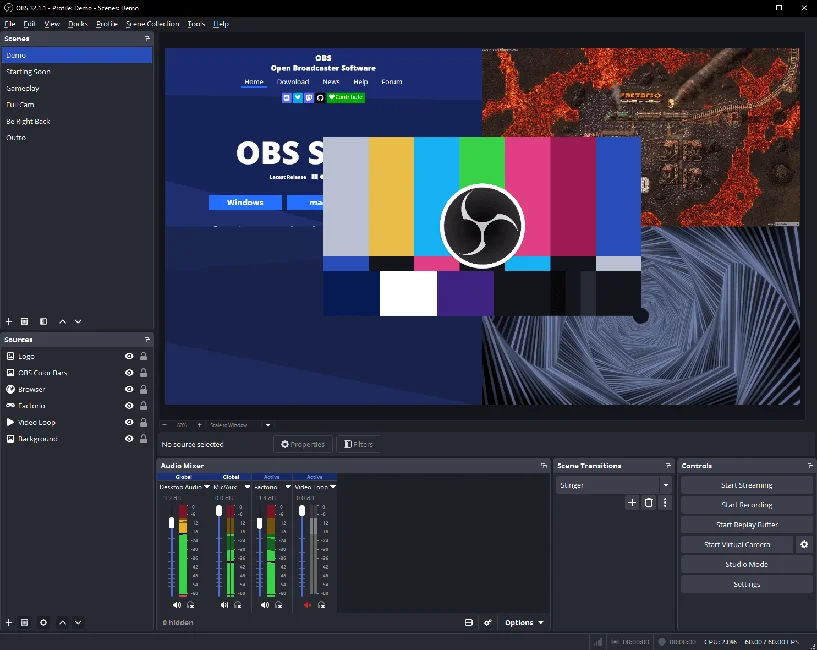
OBS Studio · checked 2026-11-08
Ongoing-free recording and streaming software under GPLv2 or later. The local software licence imposes no provider recording-duration or watermark quota. Disk space, codecs, third-party plugins, media rights and streaming destinations have separate requirements.
A provider account is not established as a prerequisite for local recording by this source check. Streaming destinations require their own account and permissions.
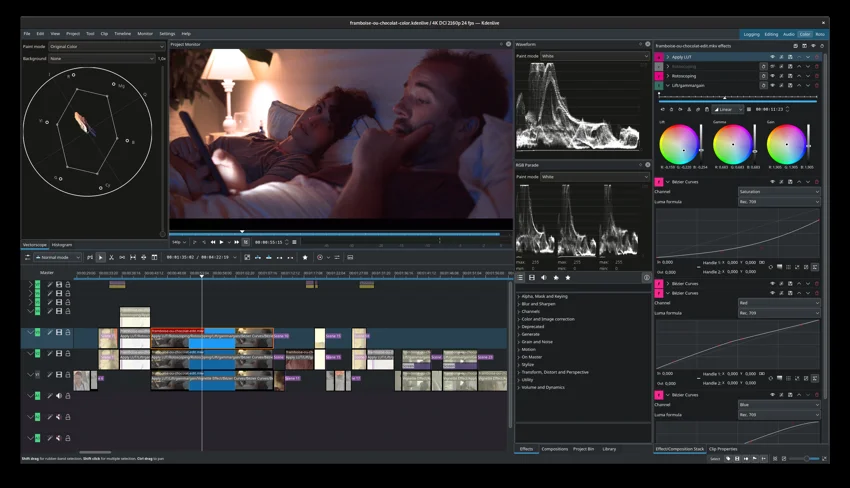
Kdenlive · checked 2026-11-08
Official project confirms free GPL video-editing software with no licence fees, registration, subscriptions or paid feature unlocks. Local storage, hardware, codec support and media rights remain separate; no provider cloud-storage or export-credit plan is included.
The official About page explicitly states no registration or subscription. Optional connected services can have their own accounts.
GIMP · checked 2026-11-08
The official project confirms freely distributed GPL image-editing software for retouching, composition and image authoring. This is an ongoing local software offer, not a credit allowance. Added assets and plugins retain their own rights; software redistribution must follow the applicable licence.
Local desktop editing does not require a hosted account.
A small example to aim for
One action. An explanation that travels with it.
Start card → visible move → result card. Review with sound off.
Illustration only · not a Capnot screenshot, tested recording or customer result.
Illustrative example · adapt it to your project.
Jump to a step
Name one change the viewer should understand
Use a fictional task board with three cards: Draft, Review and Approved. The entire demo explains moving one invented card from Draft to Review. Write the start state, action and visible result before choosing software. Aim for roughly 30–45 seconds, but treat that as an editorial constraint rather than a proven attention benchmark. No real client names, notifications, customer records or account pages belong in the recording.
Prepare three original explanation cards
Use GIMP to design a start card, an action cue and a result card using your own text and shapes. Suggested copy: “Move a draft into review”, “Choose Review” and “Ready for a reviewer”. Keep the wording short and the text away from the interface detail it explains. Export PNGs at the intended video dimensions and keep the XCF. Review font rights separately. These are explanation cards, not a transcript of speech.
Record only the clean window
In OBS Studio select a window source, check the captured area and disable unused audio sources for this silent exercise. Close unrelated windows and notifications first. Capture the fictional board before, during and after the move, leaving enough pause to see the result. Make a short local test and actually reopen it before the main take. Platform permissions and capture compatibility vary; record failures rather than claiming every app can be captured.
Place explanations beside the decision
Import the recording and cards into Kdenlive. Put the start card before the move, the action cue while the relevant control is visible, and the result after the state changes. Use titles or overlays to support the same story if you prefer. Avoid covering the pointer target. Cut idle time without skipping the state transition. Keep the explanation in the video; a separate post caption may not travel with a shared file.
Review the export with sound off
Export a common delivery format supported by your installed Kdenlive build. Reopen it outside the editor with sound off, at the actual sharing size. Ask a reviewer to identify what changed and the next action without hearing narration. Check text size, contrast, pacing, clipped edges and accidental information exposure. Do not treat a blur overlay as irreversible redaction; replace sensitive source material before recording. Record the actual review outcome, leaving it “not tested” until performed.
Save the kit and choose a specific upgrade
Save OBS Studio, GIMP and Kdenlive with the existing Save this toolkit flow. Sign in for a private account stack; guest saves stay in that browser. FreeStack editorial upgrade triggers: frequent live screen shares that need overlays during the call, repeated caption setup, on-device live dictation with a verified language fit, or a measured editing burden. Check the tool’s permissions and licence first. A seven-day trial is not an ongoing-free tool.
Your workflow, connected.
Follow the steps and carry the output into the next stage. These are suggested handoffs, not automatic integrations.
Provider information
Check current plans and documentation before committing to a workflow.
A couple of useful questions
What stays free?
OBS Studio, GIMP and Kdenlive provide ongoing-free local source software. Their core licences impose no provider recording-duration, export-count, watermark, project-storage or team-seat quota. Device performance, disk space, optional plugins, codecs, source assets and hosted sharing services have separate limits and rights.
Do I need accounts?
Core local recording, editing and image preparation do not require hosted accounts. Operating-system permissions can be needed for screen or audio capture. Optional stores, sync, plugins and publishing services may require accounts; their requirements are separate.
Does this include automatic captions?
No. This exercise uses original explanation cards for a silent interface action. Speech transcription and timed subtitle files are a separate workflow. Review any model or API allowance separately before adding it.
What does Save this toolkit store?
It saves the three catalogue tool links through FreeStack’s existing flow. It does not upload recordings, connect screen-capture permissions, purchase a licence or publish a video.
What would you try?
Share your result or ask a specific question about this workflow.
Join the conversation