Record a launch demo that gets to the point
A storyboard and recording checklist for showing one useful result, with OBS and Kdenlive.
A short edited demo that shows a problem, one action and the result.
Imagine a viewer has never heard of your product. They need to understand what changes for them. This suggested recording plan uses fictional sample data and avoids claiming any measured conversion result.
Free boundaries before you start
Source checks for this workflow. These notes clarify older catalogue summaries; they do not change your saved toolkit.
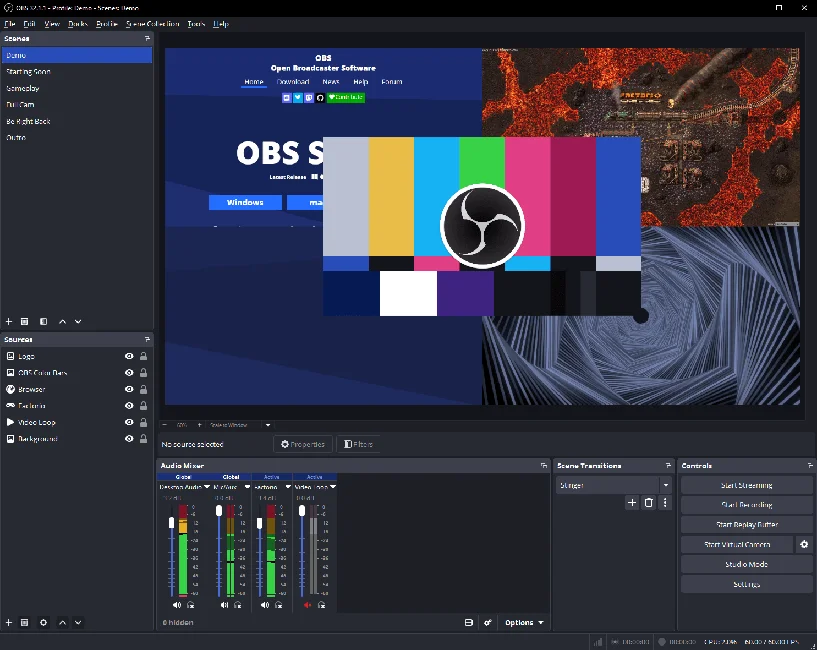
OBS Studio · checked 2026-10-13
Free open-source desktop recording/streaming software with unlimited scenes; no subscription tier indicated. Recording capacity depends on device/storage. GPL-2.0 repository licence; plugins, media and streaming services may carry separate terms.
No account required for the described local use or download.
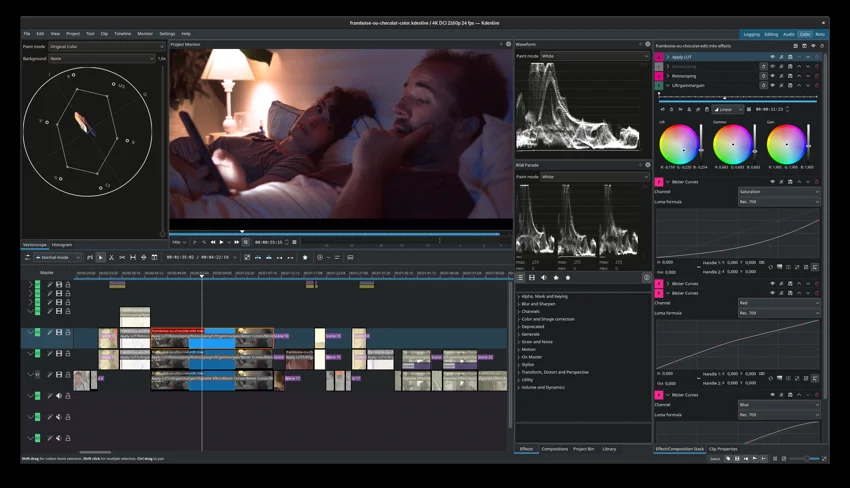
Kdenlive · checked 2026-10-13
Free desktop video editor with no licence fee, registration, subscription or paid feature unlock. Export supports FFmpeg formats including MP4 and UHD/4K. Hardware and media rights still apply. GNU GPL software; underlying media and assets retain separate rights.
No account required for the described local use or download.
A small example to aim for
A project, neatly organised.
Save a tool to the project.
Make a stack of your own.
FreeStack example output · illustrative, not a provider screenshot or a tested export.
Jump to a step
Write the ending first
Choose the useful result the viewer should see: a brief becoming a task list, a photograph becoming a usable asset, or a question receiving a clear answer. Write a closing sentence that tells them where to try it. Remove features that do not support that result.
Prepare a clean capture
Use OBS’s setup guidance to choose recording settings and sources, then make a short test. Prepare dummy data and hide private notifications. Listen to the microphone recording and check that text is readable before recording the whole sequence.
Show the action once
Record a clear starting state, perform the action and pause on the result. Move the pointer deliberately. If you make a mistake, pause and repeat the relevant part. Avoid a rapid tour of menus the viewer does not need.
Edit and check the export
Assemble the useful sections in Kdenlive and remove waiting time. Keep text on screen long enough to read. Watch the exported file from start to finish on a small display, with sound on and then muted. Fix unclear moments before sharing.
Your workflow, connected.
Follow the steps and carry the output into the next stage. These are suggested handoffs, not automatic integrations.
Provider information
Check current plans and documentation before committing to a workflow.
View 2 provider links
A couple of useful questions
Do I need music?
Only if it helps the presentation and you have permission to use it. Clear narration and readable actions matter more.
Should I show every feature?
No. Make separate demonstrations for separate tasks so each one has a recognisable purpose.
What would you try?
Share your result or ask a specific question about this workflow.
Join the conversationKeep building
 OBS Studio
 Audacity
 Kdenlive
Record a useful product demo with free desktop tools
Plan, capture and edit a short screen demo that explains one task instead of touring every feature.
 Excalidraw
Map a client approval workflow before buying automation
Turn a messy feedback loop into one readable diagram and a clear decision about what needs automating.