Record an interface bug someone else can reproduce
Pair a short local recording with exact steps, a starting state and separate expected and observed results.
One short evidence clip and a reproduction note that another reviewer can follow.
Original FreeStack editorial workflow, checked 24 November 2026.
About this guide & its examples
The example is a fictional issue card, not an OBS screenshot, recorded bug or tested customer result.
Illustrations are FreeStack concepts, not provider screenshots. Check the free limits below and test your own files before delivery.
Free boundaries before you start
What’s free, whether you need an account, and when we last checked.
OBS Studio · checked 2026-11-24
Free open-source local recording and streaming; device performance and permissions constrain capture. Core local work has no provider export-credit, watermark, hosted-storage or team-seat quota; hardware, disk, content rights and optional services remain separate.
Core local work does not require a provider account. Optional stores, forums and connected services may require accounts.
LibreOffice · checked 2026-11-24
Free MPL2.0 office suite with separate component licences. Core local editing/export has no provider credit, watermark, storage or seat quota.
Core local work does not require a provider account.
A small example to aim for
Give the clip a starting point.
Demo form · empty optional field
Open form · leave optional field blank · continue
Continue to the review screen
Example only: a required-field message
Evidence: one unedited clip + exact steps + environment
Invented UI behaviour, not a provider screenshot, recorded defect or tested result.
Illustrative example · adapt it to your project.
Jump to a step
Write an exact starting state
Use a harmless demo screen or a project you are authorised to capture. In LibreOffice Writer, note the app and version, operating system, window size, starting page and any prerequisite. Use fictional data. A viewer must know where to begin, not just where the problem appeared.
Separate expected from observed
Write three numbered actions with exact control labels, followed by Expected and Observed. Describe what is visible; put a suspected cause in a separate unconfirmed hypothesis. Repeat the actions yourself before recording. If it does not recur, say intermittent and record that uncertainty rather than claiming a reliable reproduction.
Limit what the recording can expose
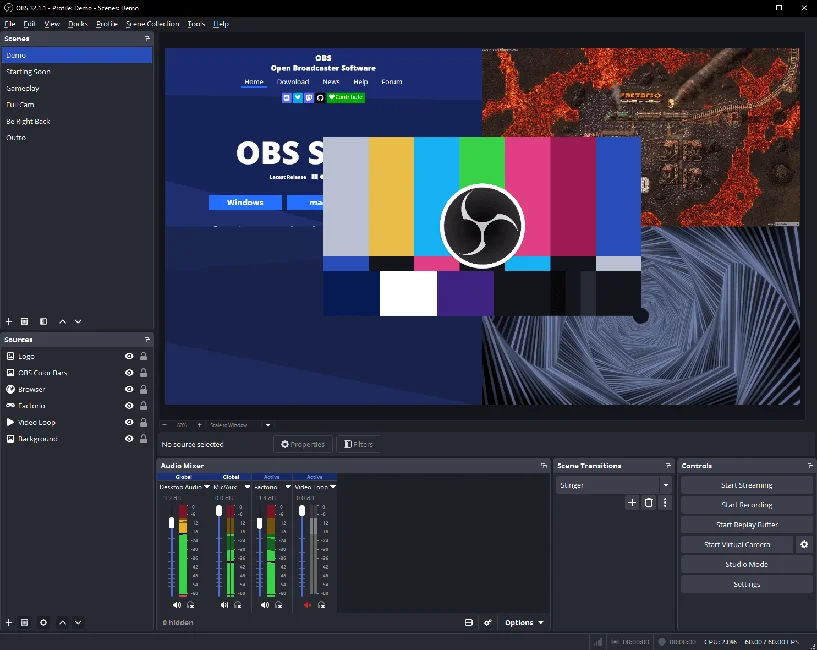
Create one OBS scene with an appropriate window or platform screen-capture source. Inspect its preview, close unrelated documents and notifications, and verify the capture boundary. A window source is not an automatic privacy guarantee. Mute audio sources if this is a silent report. Do not assume a microphone is off because you are not speaking.
Calibrate, then capture one short attempt
Follow the official OBS quick-start settings and make a separate test recording before the report. Reopen the test file to inspect readability and unintended audio. Then record the starting state, the three actions and the visible outcome. Aim for around twenty seconds as an editorial constraint, not a provider limit. Stop recording rather than streaming. Keep the unedited evidence file.
Review the file against the written steps
Reopen the exact recorded file, not only the OBS preview. Check that the pointer, labels and final state are readable, and that it contains no unrelated information. Record its filename beside the steps in Writer. If the video contradicts your note, revise the note or repeat the controlled attempt. Keep failed and successful attempts distinct; do not splice them into a misleading sequence.
Save the toolkit and justify an upgrade
Save this toolkit stores the two catalogue links in a private signed-in FreeStack stack; guest saves stay browser-local. It does not save the recording. FreeStack editorial upgrade triggers: a real need for governed review links, expiring access, large-file hosting or supported team triage. Verify those capabilities before paying. A polished animation does not make an unclear bug reproducible.
Your workflow, connected.
Follow the steps and carry the output into the next stage. These are suggested handoffs, not automatic integrations.
Provider information
Check current plans and documentation before committing to a workflow.
A couple of useful questions
What is free?
OBS and LibreOffice are ongoing free desktop software. Core local recording and document editing have no provider credit, watermark, hosted-storage or seat allowance. Device performance, disk space, permissions and media rights remain separate.
Do I need an account?
The local workflow does not use a provider account. A third-party sharing service, app store or recipient system may require one. This guide does not configure a hosting service.
Is twenty seconds a recording limit?
No. It is an editorial target for a focused example. Keep enough context to reproduce the issue; do not cut away necessary steps to fit the target.
Was this bug recorded or tested?
No. FreeStack verified documentation and licences. The example is invented to explain the reporting standard, not evidence of a defect in a real product.
What would you try?
Share your result or ask a specific question about this workflow.
Join the conversation