Match a demo’s narration to the actions on screen
Plan three visible beats, record a human explanation and review the timing before buying automated narration.
A short narrated demo whose control names, actions and visible results agree.
Original FreeStack editorial workflow, checked 25 November 2026.
About this guide & its examples
The visual is a fictional beat plan, not a provider screenshot, generated voice or tested video.
Illustrations are FreeStack concepts, not provider screenshots. Check the free limits below and test your own files before delivery.
Free boundaries before you start
What’s free, whether you need an account, and when we last checked.
LibreOffice · checked 2026-11-25
Free MPL2.0 office suite with separate component licences. Core local editing/export has no provider credit, watermark, storage or seat quota.
Core local work does not require a provider account.
OBS Studio · checked 2026-11-25
Free open-source local recording and streaming; device performance and permissions constrain capture. Core local work has no provider export-credit, watermark, hosted-storage or team-seat quota; hardware, disk, content rights and optional services remain separate.
Core local work does not require a provider account. Optional stores, forums and connected services may require accounts.
Shotcut · checked 2026-11-25
Free GPLv3 commercial-use video editor with no subscription activation. Project saving and playable video export are different; hardware, disk and codec support constrain use.
No provider account required for core local work.
A small example to aim for
Say it when the screen shows it.
Voice: Select “Open” in the demo filter.
Picture: The filter menu is visible.
Voice: Apply the selected filter.
Picture: The list updates to matching items.
Voice: Only open items are shown.
Picture: The result remains visible before the next line.
Invented script and screen states. Not an audio waveform, provider screenshot or tested video.
Illustrative example · adapt it to your project.
Jump to a step
Write three visible beats
In LibreOffice Writer, make a three-row table: what the viewer sees, what you will say, and the state that proves the action finished. Use a harmless fictional task such as filtering a demo list. Give each row one action. Replace “click here” with the actual control label. Do not describe a result the screen never shows.
Read the lines before recording
Read the draft aloud at a comfortable pace. Remove claims you cannot demonstrate. Leave time for the action and its visible result before the next sentence. A thirty-second target is an editorial focus constraint, not a software limit. If the action needs more time, shorten the sentence or extend the shot rather than rushing the voice.
Capture an authorised demonstration
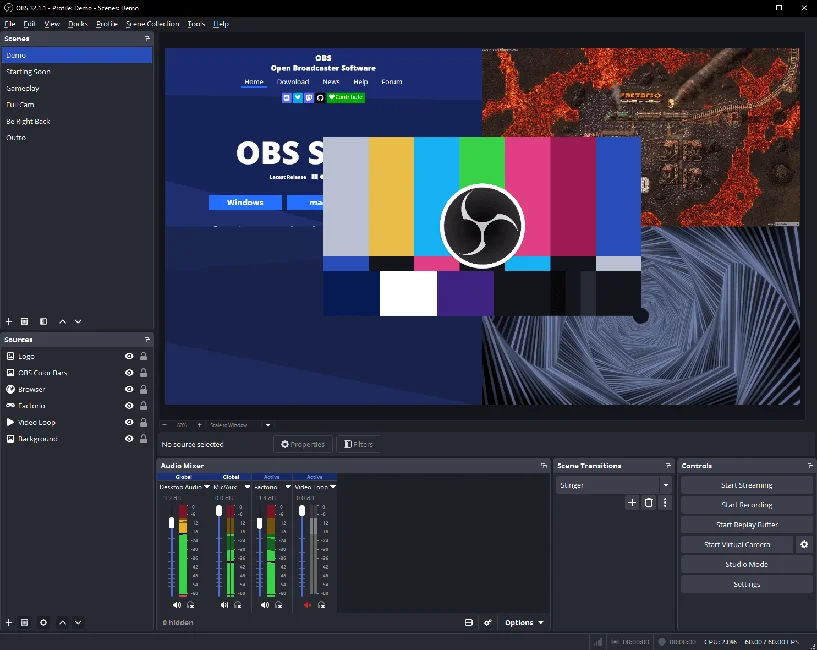
Prepare fictional test data and close unrelated material. In OBS choose the relevant capture source, inspect the preview and deliberately select audio devices. Follow the official quick-start test-recording advice before the real take. Record your own voice and demonstrate the planned actions, pausing at each result. Use local recording, not live streaming. Hardware performance and permissions can affect capture.
Review the relationship on the timeline
Open the take in Shotcut and save an editable project separately from the recording. Listen while watching each action. Mark any sentence that arrives before the relevant control or continues over a different result. Trim unnecessary waiting where the explanation still fits; otherwise re-record that beat. Do not speed up footage until the spoken instructions become impossible to follow.
Export and check the exact file
Use Shotcut’s video export, not just project Save. Reopen the exported video and compare it with the three-row plan. Can a viewer identify the named control and see the result before the next instruction? Listen for clipped words and unwanted audio, and inspect text at the intended viewing size. Keep source media, the editable project and the exported file together. FreeStack has not recorded or exported this example.
Save the toolkit and name an upgrade trigger
Save this toolkit stores these catalogue links in a private signed-in FreeStack stack; guest saves stay browser-local. It does not store your script or video. FreeStack editorial upgrade triggers: recurring narrated versions, governed review links, required team access or a verified delivery format. Compare the actual requirement with a provider plan before paying. A new AI voice will not fix a script that refers to the wrong screen.
Your workflow, connected.
Follow the steps and carry the output into the next stage. These are suggested handoffs, not automatic integrations.
Provider information
Check current plans and documentation before committing to a workflow.
A couple of useful questions
What is ongoing-free?
LibreOffice, OBS and Shotcut provide ongoing free local document, recording and editing workflows. There is no provider credit, watermark, hosted-storage or team-seat allowance on these core local tasks. Disk space, device performance, source rights and optional services remain separate.
Do I need an AI subscription or provider account?
No AI service is used in this exercise. The local workflow does not use provider accounts. App stores, sharing services or optional integrations may have their own account requirements.
Does this recreate tday.com?
No. The linked build study examines tday.com’s agent-driven recording and hosted narration. This is a smaller manual learning exercise using your own voice, not that product’s production stack.
Was this workflow tested with a real video?
No. FreeStack checked official documentation and free-use evidence. Readers should record a calibration take and inspect their own exported result.
What would you try?
Share your result or ask a specific question about this workflow.
Join the conversation